
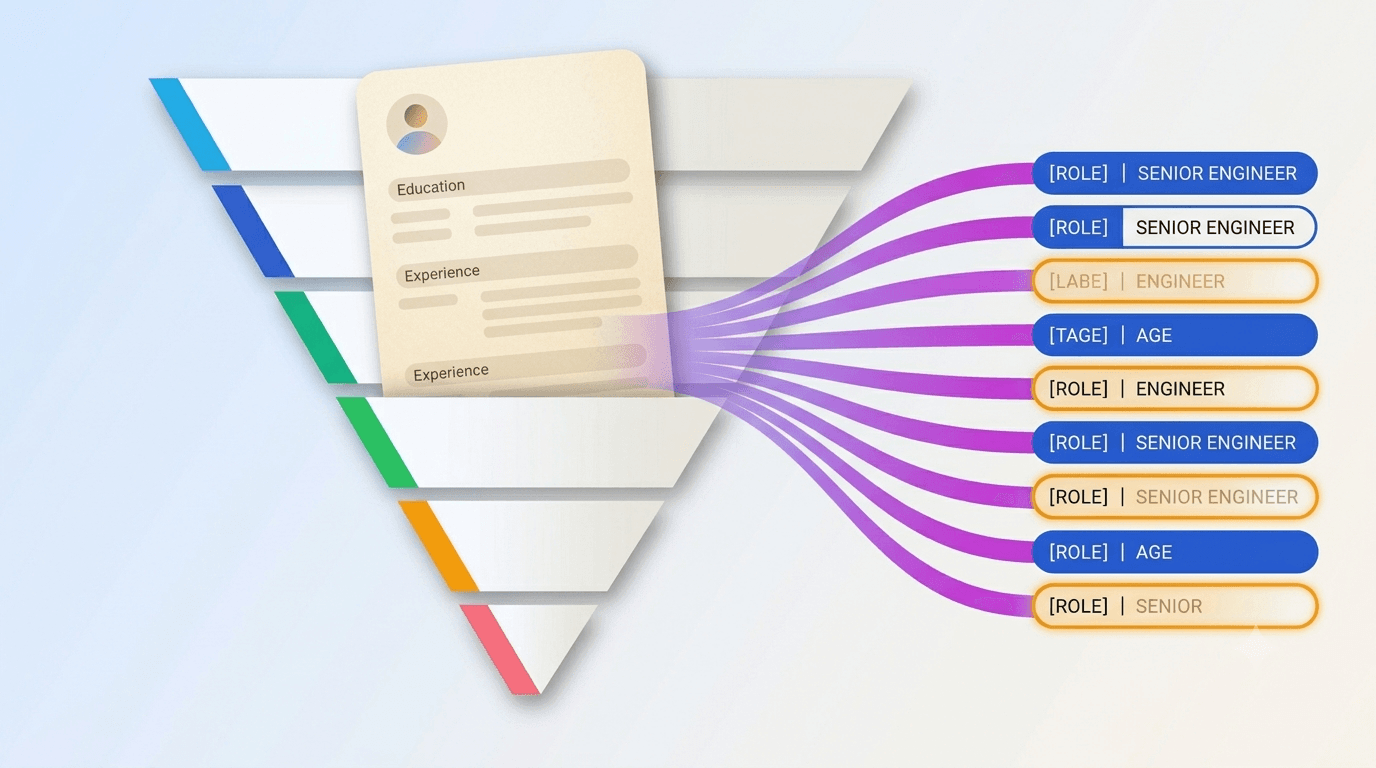
AI resume parsing in 2026 is reliable on some fields and unreliable on others. Teams that treat it as one uniform capability either over-trust the parser (losing strong candidates silently) or under-trust it (parsing every resume by hand). The right workflow uses the split explicitly — trust structured fields, verify inference fields, spend the saved time on shortlisted candidates.
What does AI resume parsing actually do?
A resume parser is software that reads a resume document — usually PDF, sometimes DOCX or HTML — and extracts structured fields into the ATS database. The extracted fields fall into two categories, and the distinction is the single most important thing to understand about parser accuracy:
Structured fields are the ones the resume explicitly labels: name, email, phone, employer names, job titles, education institutions, dates. A parser is essentially doing pattern matching on these — it does not need to interpret meaning, just locate and copy. Accuracy on these fields with the better commercial parsers in 2026 is above 95 percent on well-formatted resumes and around 85 percent on messy formats.
Inference fields are the ones the parser has to interpret: seniority level, responsibility scope, technology depth, industry experience, "fit" for a particular role. These are not labels in the resume; they are conclusions drawn from the labels. Accuracy here drops sharply — often into the 60-to-75 percent range — because the inference requires context the parser does not always have.
The teams that conflate the two see parser errors compound. A workflow that treats inferred seniority as trustworthy will silently misroute candidates; a workflow that treats parsed email addresses as untrustworthy will burn time double-checking what is essentially always right.
Where does parsing fail most often?
Four predictable failure modes.
The first and most common is conflating mention with usage. A resume that lists "Python, JavaScript, Go, Rust, Haskell, Elixir, TypeScript" in a skills section will frequently be parsed as a candidate with deep experience in all seven. The candidate did not lie — they touched all seven at some point. The parser optimised for recall (catch every keyword) at the expense of precision (verify the keyword corresponds to real experience). The fix is downstream: read the work history, not the skills list. The technologies that appear in employer-and-role context are the ones the candidate actually used.
The second is seniority inflation or deflation. A resume from a small startup may list job titles like "Founding Engineer" that the parser maps to "junior" based on company size, even though the role's actual responsibilities were senior. A resume from a large enterprise may list "Engineer II" that the parser maps to "mid-level" even though the role's actual scope was junior. Title-based seniority inference is consistently the weakest part of any parser's output.
The third is dates and gaps. Most parsers handle date ranges well when they are formatted predictably ("Jan 2022 — Mar 2024"). Less-predictable formats ("2022–present" written as "2022-" or "Spring 2023 to Summer 2024") still cause errors. Gap detection — particularly career breaks for caregiving, education, or sabbatical — varies wildly across parsers, and bias risk concentrates here.
The fourth is scope and ownership. Did the candidate own the project, contribute to it, or merely participate? Bullet points written with "I" pronouns and named decisions carry ownership signal; bullets written with "we" pronouns and listed contributions carry participation signal. Parsers do not reliably distinguish the two. Reading the actual bullets is the only correction.
TIP — The skills-section trap If your parser's output says "candidate has deep experience in 7 technologies" and the resume's work history mentions only 2 of those 7 in real role contexts, the parser is wrong on 5 of them. Read the work history before trusting the skills field.
How accurate are different fields, side by side?
The accuracy numbers below represent the better commercial parsers in 2026 on well-formatted resumes. Messy formats, unusual layouts, and non-English resumes degrade these meaningfully — often by 10 to 20 percentage points.
| Field | Typical accuracy | Action |
|---|---|---|
| Name, email, phone | 95%+ | Trust |
| Employer names | 95%+ | Trust |
| Job titles (literal) | 90%+ | Trust |
| Employment dates | 90%+ | Trust, verify on long-gap candidates |
| Education institutions and degrees | 90%+ | Trust |
| Total years of experience | 85% | Trust within ±1 year |
| Listed technologies (mentions) | 90%+ | Trust the list, not the implication |
| Technology depth ("expert in X") | 60-70% | Verify against work history |
| Inferred seniority level | 65-75% | Verify against titles + scope |
| Responsibility scope | 60-70% | Verify against bullet language |
| Ownership signal | 60-70% | Verify against bullet language |
| Industry fit | 65-75% | Verify against context |
The pattern: structured fields are reliable; anything requiring interpretation is not. Build the workflow around the split.
What is a 5-minute verification routine?
For every candidate the AI shortlists or the team manually advances, spend five minutes on the verification pass. The routine is three checks.
The first check is seniority. Open the resume next to the parsed record. Look at job titles, durations, and the language of the bullet points. Does the AI's inferred seniority match what the resume actually shows? Common error: titles like "Founder" or "Founding X" being mapped to junior or unknown.
The second check is technologies. The skills section is unreliable. The work-history section is the source of truth. Pick the top 2-3 technologies the AI flagged as candidate strengths and confirm each one shows up in the work-history bullet points, not just the skills list. If a technology appears only in skills and not in any role context, it is a mention, not a usage.
The third check is scope and ownership. Read the top 5 bullet points across the candidate's most recent role. Are they "I" bullets ("I designed and shipped X") or "we" bullets ("We launched X")? Strong candidates are usually some mix of both, leaning toward "I" on the points that matter. A resume that is exclusively "we" everywhere is a flag — for verification, not for rejection.
Five minutes per shortlisted candidate. Zero minutes on auto-rejected candidates. The math compounds: a workflow with AI parsing plus 5-minute verification on the shortlist saves hours per role compared to reading every resume by hand, without sacrificing the catch rate on parser errors.
Should AI parsing be used to auto-reject candidates?
Yes for hard requirements; no for soft requirements. The distinction matters because hard requirements are structured fields the parser handles reliably, and soft requirements are inference fields where errors silently disqualify strong candidates.
Hard requirements (safe to auto-filter on):
- Location and remote-policy compatibility
- Work authorisation
- Total years of experience above a hard floor (with ±1 year tolerance)
- Specific certifications or credentials where required
Soft requirements (do not auto-filter on):
- Technology depth claims
- Seniority match
- Industry background match
- "Culture fit" or qualitative scope match
The U.S. Equal Employment Opportunity Commission's guidance on AI in employment decisions and the European Union AI Act, both increasingly enforced in 2026, treat auto-rejection based on AI inference fields as a high-risk practice. The legal exposure aside, the operational risk is the same: parsers err systematically on inference fields, and "systematic" plus "auto-reject" plus "protected characteristics correlated with the error" is a meaningful liability.
"The AI parser is faster than a human at the things humans should not be doing anyway — copying email addresses, dates, employer names. It is not faster than a human at the things humans actually evaluate — ownership, scope, judgement."
— Collin, Founder, RecruitIn
How does this fit with AI candidate screening?
AI candidate screening (the workflow where the AI scores candidates 1-to-10 against a role rubric and returns a reasoning paragraph) is a level above resume parsing. Parsing is mechanical extraction; screening is evaluative judgement. Most modern ATS platforms — RecruitIn included — combine the two: the parser extracts structured fields; the screener evaluates the whole resume against the rubric.
The screener is where the work-history-in-context reading happens automatically. A well-designed screener does not just look at the parsed "technologies" list; it reads the bullets and decides which technologies actually carry experience signal. This is the part where the 2024-to-2026 model improvements showed up most. The parser improved marginally; the screener improved a lot.
The 5-minute verification routine still applies, even with screening. The screener has the same blind spots as the parser — title-based seniority inflation, "we" versus "I" ownership signal, gap interpretation. The verification routine just runs against the screener's verdict instead of against the parser's fields.
Closing thought
AI resume parsing in 2026 is not a single capability that is either good or bad. It is a set of fields, some highly reliable and some not, and the right workflow treats them differently. Trust the structured fields and verify the inference fields. Auto-filter on hard requirements and do not auto-filter on soft ones. Use the saved time on the candidates you shortlist, not on the ones you reject — and the loop ends up faster, less biased, and easier to defend than either "trust the AI completely" or "ignore the AI entirely."
To use AI parsing and screening together inside a small-team workspace, create a free RecruitIn workspace — every applicant is parsed and screened automatically, with the screener's reasoning visible on every candidate card. To structure the rubric the screener evaluates against, read how to build an interview scorecard your team will actually use. To plan when to upgrade past the free tier's AI cap, read free ATS vs paid ATS. Pricing details on the pricing page.